.png)
One Map. Every Shipment. Wherever They Are in the World.
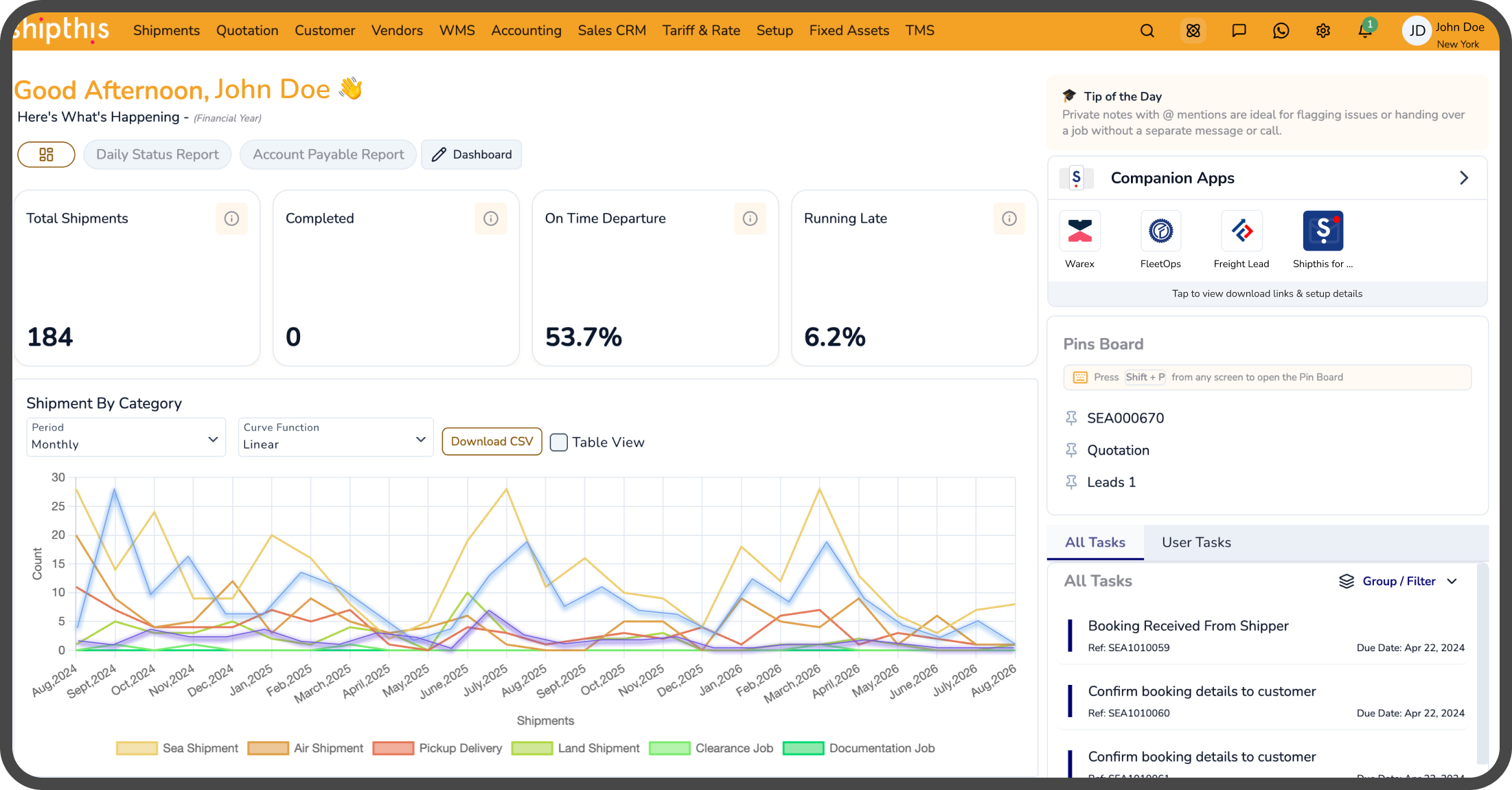
Inside the customer portal, your customers see every one of their active shipments on one live map, container status, ETA, and current position, updating in real time. It's powered by live AIS vessel data, so what they're looking at is where the vessel actually is, not an estimate.
No credit card required. Go live in 9 weeks. Implementation team included.


.avif)
Most "where's my shipment?" emails happen because the customer can't see what your team can. A live map in the customer portal gives them the same picture, so the answer is already on their screen before they ask.
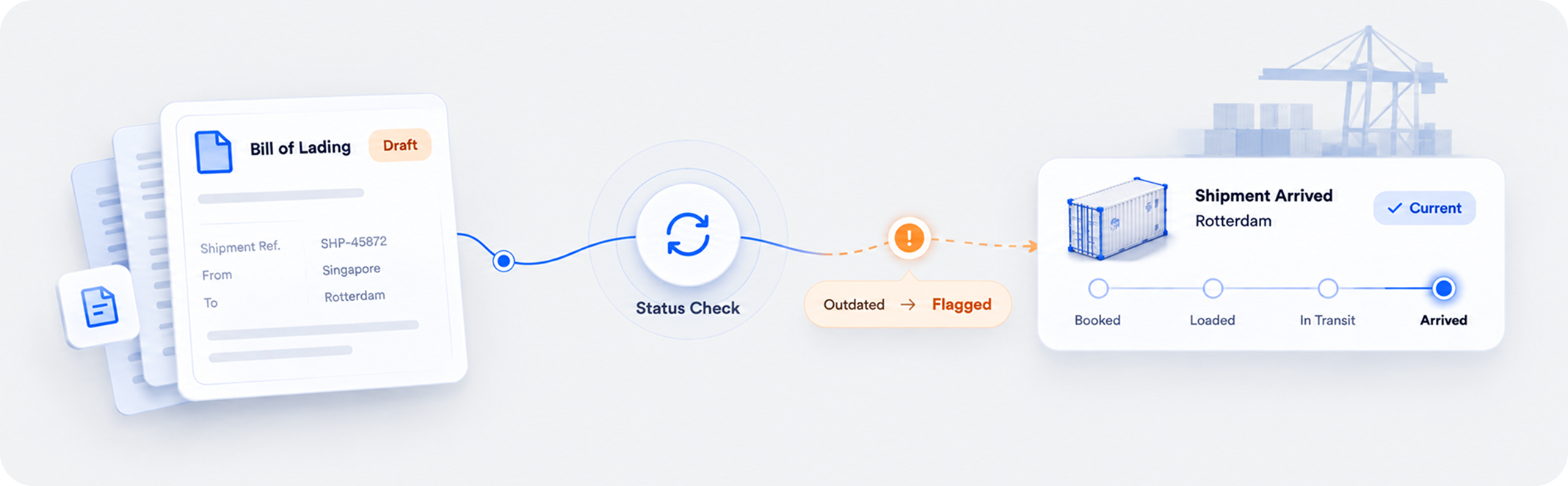
A tracking page that shows one dot per shipment, or an ETA fixed on booking day, still leaves customers guessing. Shipthis shows every active shipment on one live map, with container-level status and an ETA that recalculates as the voyage unfolds, powered by live AIS vessel data and the same feed your team works from.
.png)

Every Container's Status, Including ETA, in One Glance
Live Position shows detail at the container level, not one status standing in for the whole shipment.
Live Position shows the exact status of every container within a shipment, including its ETA, not a single dot representing the whole shipment, but the detail underneath it.
.png)
.png)
The ETA Updates Because the Voyage Doesn't Go Exactly to Plan
The ETA moves as the voyage actually unfolds, not the number calculated the day the shipment was booked.
Status changes and milestone events arrive in real time, and the ETA recalculates with them, based on the vessel's actual recent activity, not the schedule from the day it was booked.
Whatever the Mode, Wherever It Is
One view covers every mode and every region, so control doesn't depend on which mode a shipment happens to move in.
Ocean, air customers stay in control of their shipments regardless of mode or location, all from the same view.
.png)
The Data Powered by AIS
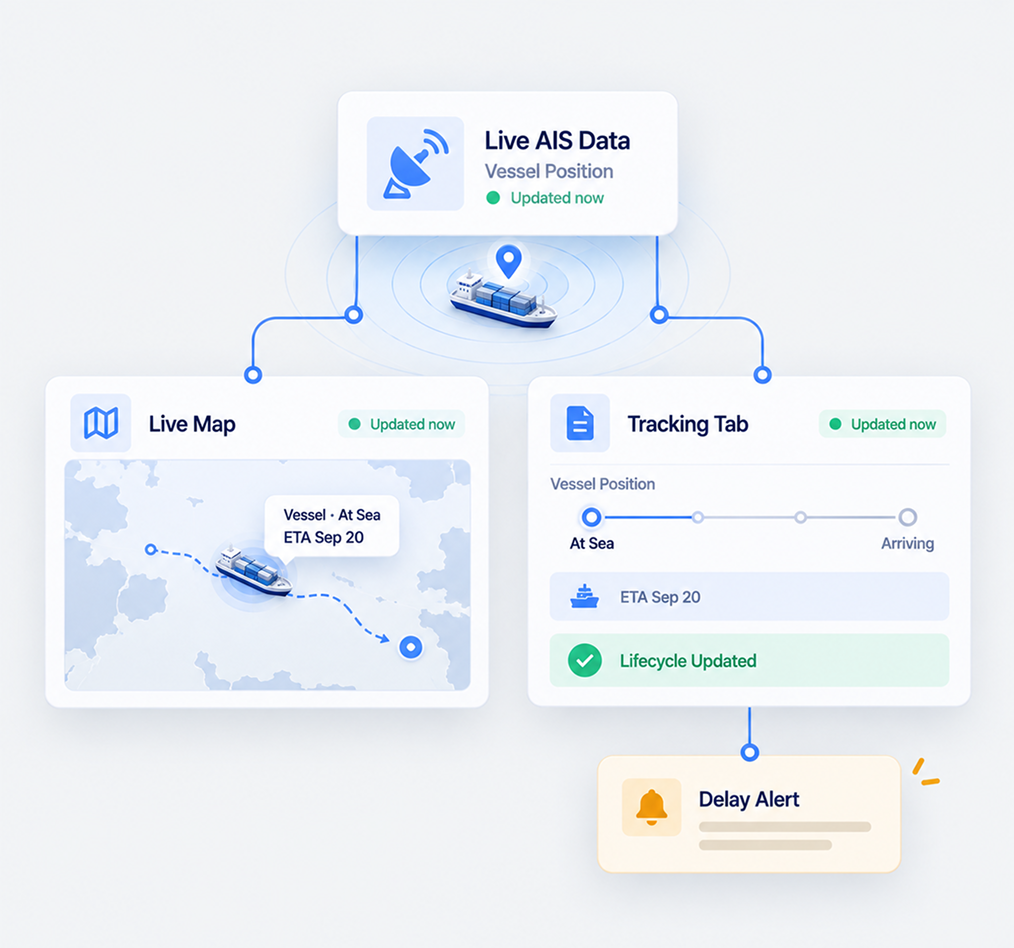
The same AIS feed customers see on the map also drives status updates and workflow triggers behind the scenes.
Each position is powered by live AIS vessel tracking, with dynamic ETA prediction and automatic port arrival alerts. Customers see it as the map. Internally, it lives inside a Tracking tab on every shipment file, where it automatically updates the shipment's lifecycle status and triggers the right workflows, including delay notifications, without anyone re-entering the same data twice.


Not a Map for Customers and a Separate System for You. One Feed, Both Jobs.
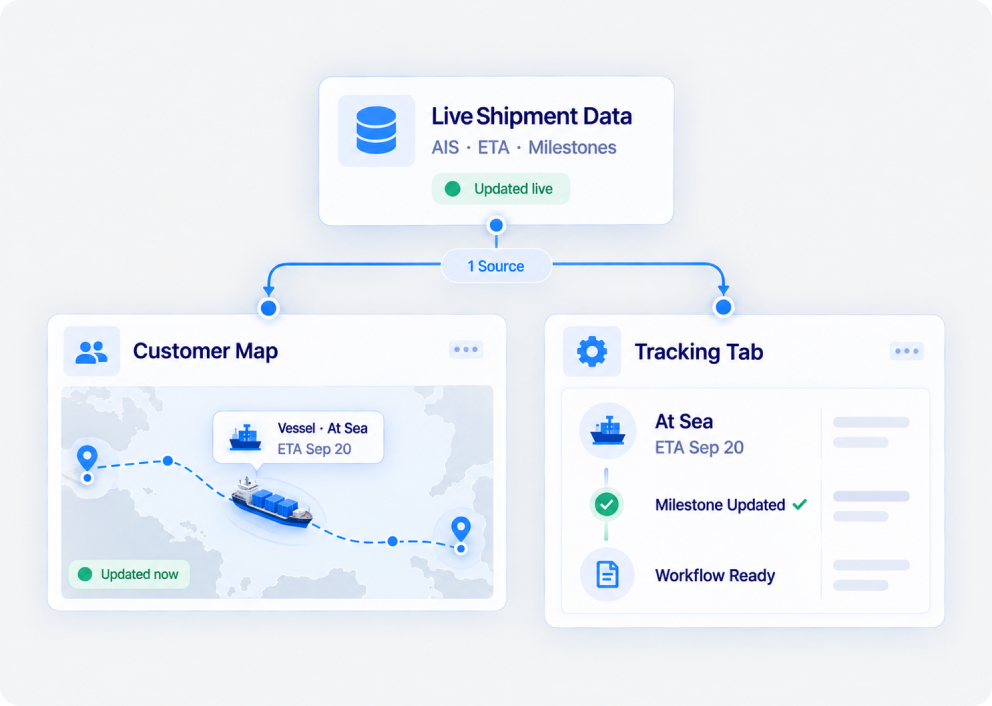
Plenty of portals show customers a map that has nothing to do with how the shipment is actually managed behind it. Here, the AIS data, the ETA, and the milestone updates are the same feed driving your internal Tracking tab and workflow automation. The customer's map and your team's operations run on the same truth.
Connected Before Your First Customer Opens the Map
Tracking is live from the start, on the Customer Portal and in the ERP, with no data sources for your team to set up.
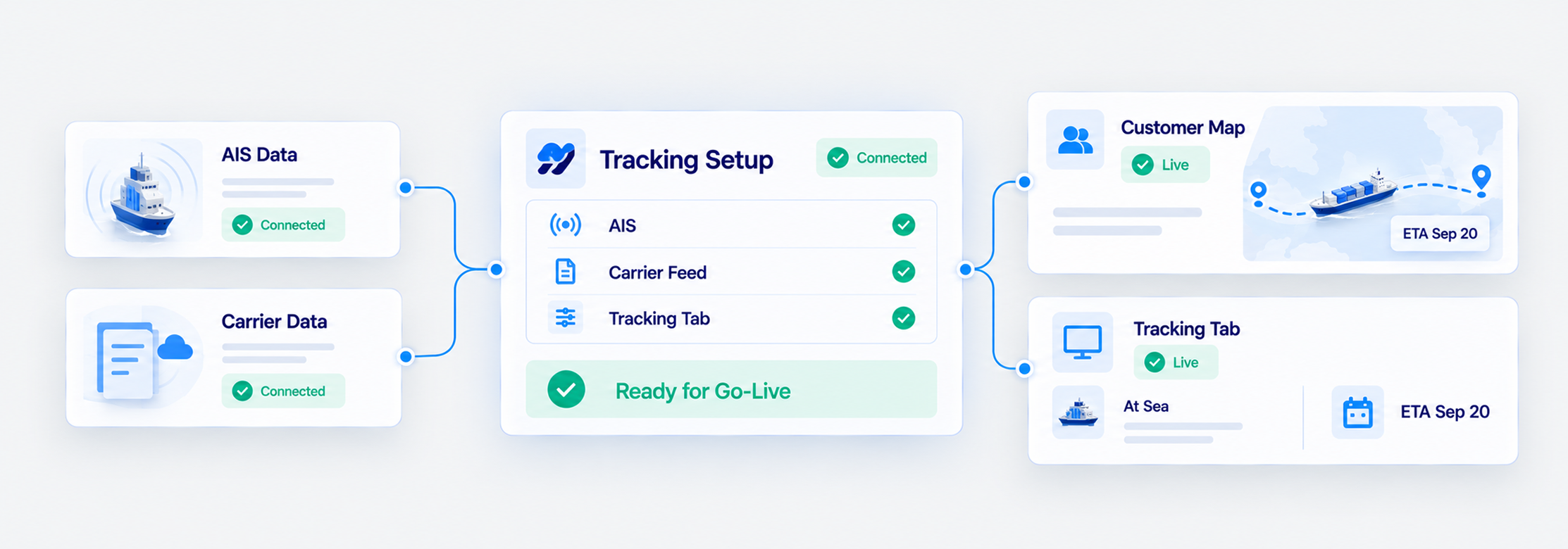
Shipthis runs its own tracking, so the customer map and the internal Tracking tab are both live from day one, not filled in gradually over the following months. If you work with a shipping line we don’t yet track, we’ll evaluate it and bring the integration in during onboarding.

See What Your Customers Would See
A demo can walk through the map with your own shipments and modes. Prefer to explore first? A free trial gives your team hands-on access with no commitment.
A demo can walk through your own RFQ mix, the channels your customers actually use, and what your typical RFQ emails look like, not a generic script. Prefer to explore first? A free trial gives your team hands-on access with no commitment.

Book a demo or start your 30-day free trial — and talk to a real freight specialist, not a sales script.
Live Shipment Map & Vessel Tracking Questions, Answered
Both. Your customers see it on the Customer Portal, and your team sees the same live tracking in the ERP, through the Tracking tab inside each shipment file.
Live AIS vessel data, not an estimate interpolated between two older points.
It recalculates continuously based on the vessel’s actual recent activity.
Ocean and air are both covered, and each mode has its own tracking.
Yes. It automatically drives the shipment’s lifecycle updates and triggers workflows, including delay notifications.

.avif)