

Milestones That Do Something, Not Just Update a Screen
When a shipment hits a specific milestone, departed, arrived, customs hold, delivered, Shipthis can trigger an alert, send a customer email, or create a task the moment it happens. And for the exceptions that actually matter, port congestion building, a carrier trending late, a customs hold forming, the system flags them while they're still forming, before a customer has to be the one to bring it up.
Alerts, emails, and tasks, fired the moment a milestone happens.
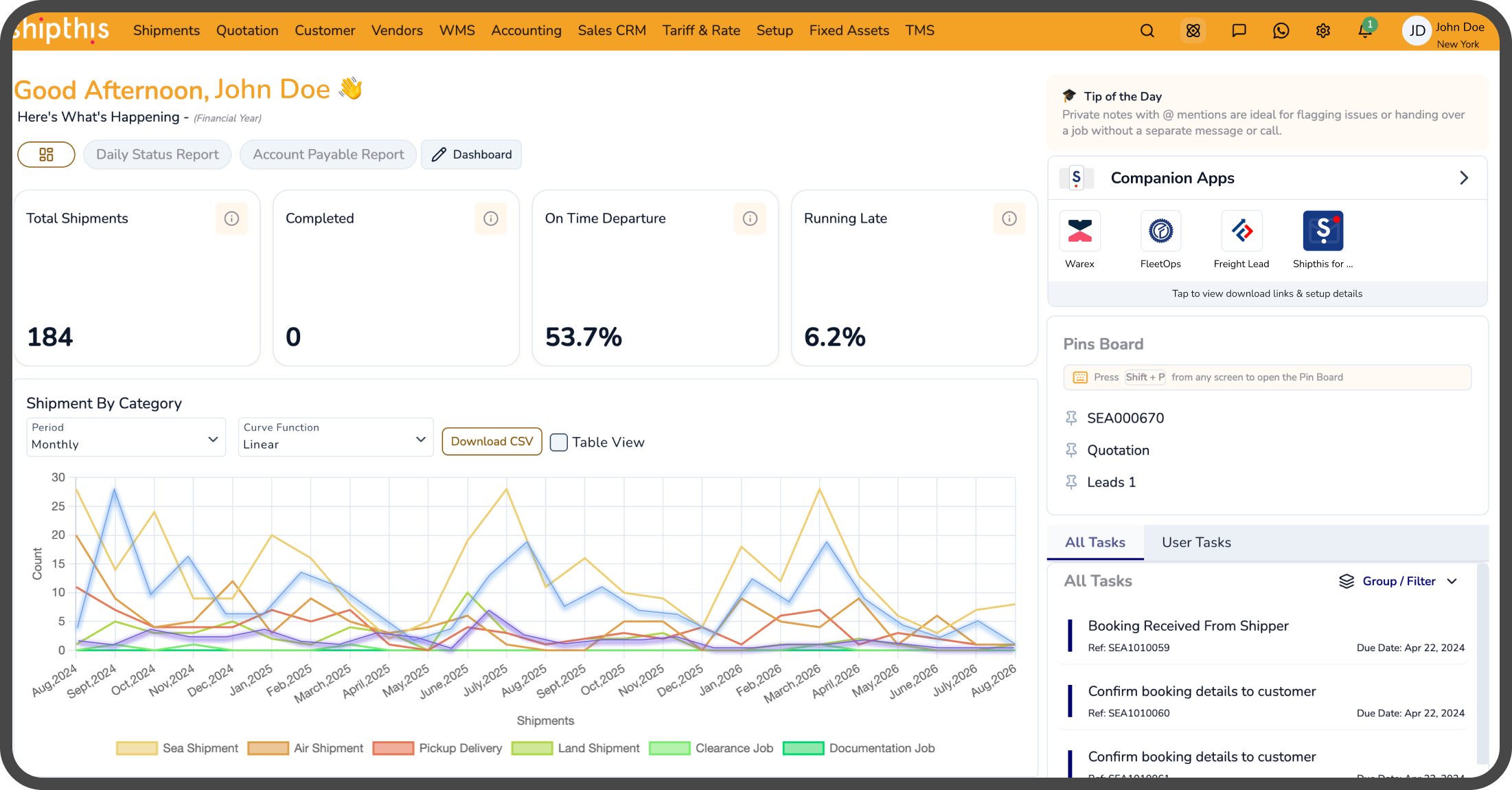
Accurate tracking and useful tracking aren't the same thing if a person still has to notice the milestone and remember what comes next.
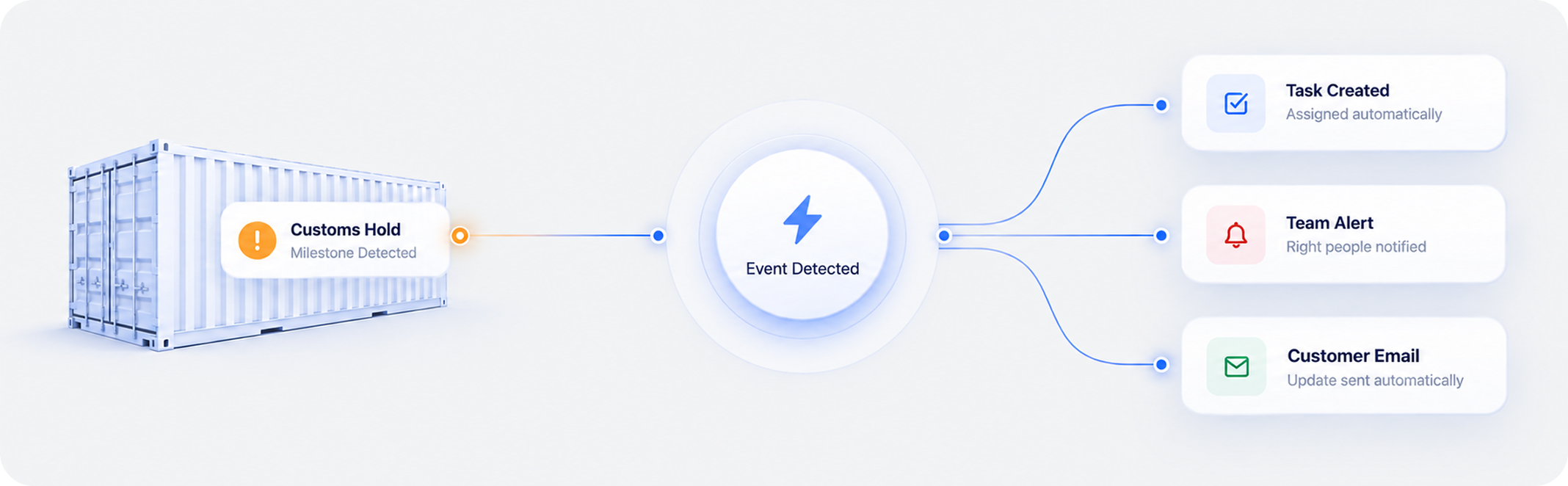
Real-time milestone data is necessary but not enough on its own. If a customs hold gets flagged correctly the moment it happens but nobody's looking at the screen right then, the accuracy was wasted, the information existed and nothing came of it. Shipthis turns specific milestones into triggers instead of just facts: a customs hold creates a task automatically, a departure emails the customer automatically, an arrival alerts the team that needs to act on it. The response doesn't wait on someone happening to be watching.

.png)
The Alert Finds the Right Operations Person. Nobody Has to Go Looking for It.
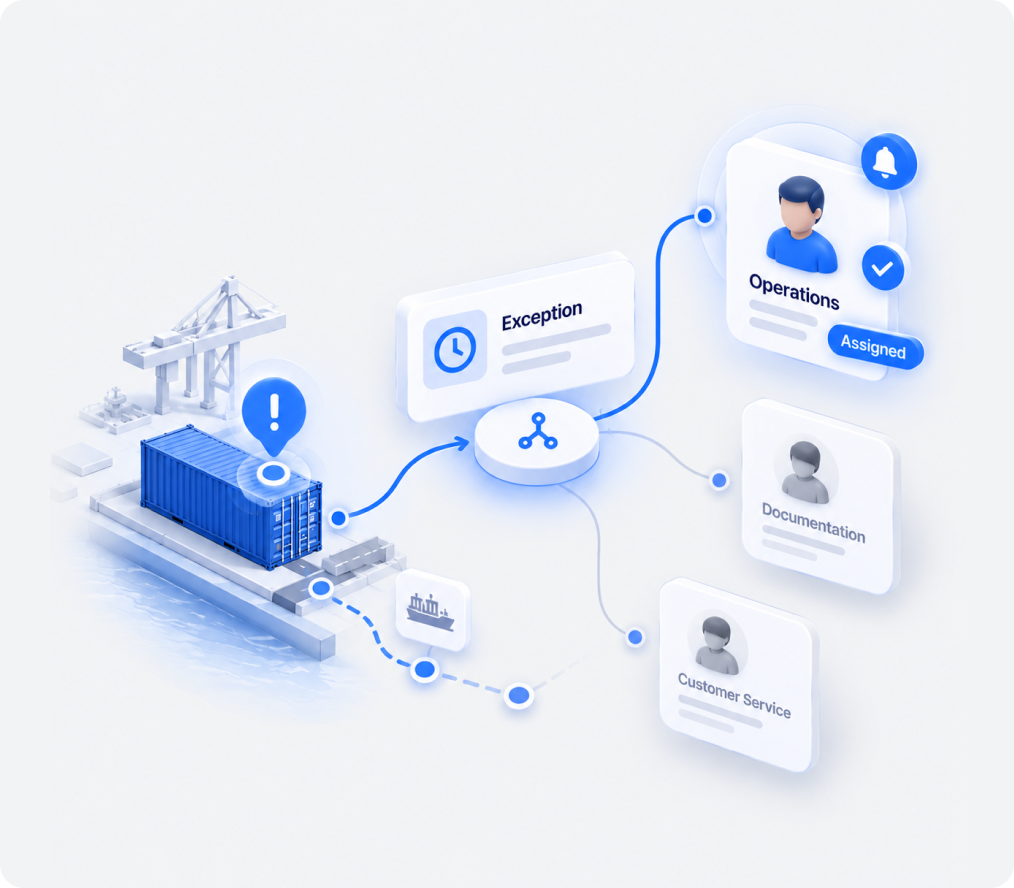
Specific milestones route alerts directly to the team member who needs to know, without anyone checking a dashboard to catch it
A customs hold, an unexpected delay, a missed connection, these need somebody's attention right away, and waiting for a person to notice on a dashboard is exactly where response time slips. Shipthis routes internal alerts automatically to the person or role responsible for that type of exception the moment it occurs, so attention shows up when it's needed instead of whenever someone next happens to check.
.png)
Somebody on Your Team Writes This Email Every Time Anyway
Departure confirmations, arrival notices, delay heads-ups, sent automatically the moment the milestone occurs, instead of drafted by hand each time.
A real share of the manual work in freight forwarding is just keeping customers in the loop, a departure confirmation, an arrival notice, a heads-up about a delay. It's necessary, and it's also the same email written over and over with different details filled in. Shipthis sends it automatically when the relevant milestone occurs, so the update goes out the moment it's true, and the customer never has to be the one who asks first.
Some Milestones Need a Task, Not Just a Heads-Up
A customs hold, a scheduled pickup, a document that needs filing, the task gets created and assigned automatically, not left for someone to remember.
An alert tells someone something happened. It doesn't do the next thing for them. When a milestone actually requires action, filing a document, scheduling a pickup, following up on a hold, Shipthis creates the task itself and assigns it to the person or team responsible, so the follow-up work exists the moment it's needed instead of depending on whoever was supposed to remember it.
.png)
.png)
Port Congestion Doesn't Show Up as a Milestone. It Builds Quietly Until It's a Problem.
Congestion, a carrier trending late, or a likely customs hold, flagged while the pattern is forming, not discovered once it's already affecting the shipment.
Some problems never announce themselves as one clean event. Port congestion builds gradually. A carrier's delay compounds across several legs before it's visibly "late." A customs hold risk is often visible before it's officially declared. If you're waiting for a discrete milestone to trigger a reaction, you catch these only after they've started affecting the shipment. Shipthis watches for the patterns themselves, congestion building at a specific port, a carrier consistently running behind on a route, early signals of a likely hold, and raises the flag while there's still time to do something about it, instead of after a customer has already noticed the delay on their own.
Your Best Customer Might Want an Email at Every Milestone. Another Might Want None.
Which milestone triggers which alert, email, or task is configured by mode, shipment type, or customer, matching how your business actually runs, not a template everyone gets by default.
Different customers expect different levels of proactive communication. Different shipment types carry different escalation needs. A single fixed set of triggers can't reflect either, which is why Shipthis lets you configure exactly which milestone fires which action, an alert, an email, a task, or some combination, by mode, shipment type, or customer. The automation follows your actual rules, not a default that happens to fit some accounts and annoy others.
.png)

.png)

Tracking, Acting, and Getting Ahead of It Are Three Different Bars. This Clears All Three.
Alerts, emails, and tasks fired automatically, and port congestion, carrier delays, and customs holds flagged while they're still forming, not a dashboard that stops at showing you what already happened.
.png)
Most platforms clear the first bar easily: track milestones accurately, show them clearly. Some clear the second: turn a milestone into an automatic alert or email. Almost none clear the third: catch a delay before it's a discrete, official event at all. Shipthis is built to clear all three, internal alerts, customer emails, and tasks firing automatically from milestones your team already tracks, and separately, congestion, carrier delays, and hold risk flagged as they're forming, all configured to match how your business actually runs.
Your Workflow, Configured to Work the Way You Actually Operate
We work with your team to define shipment lifecycles, milestones, events, and triggers, so your workflows are ready to work from day one.
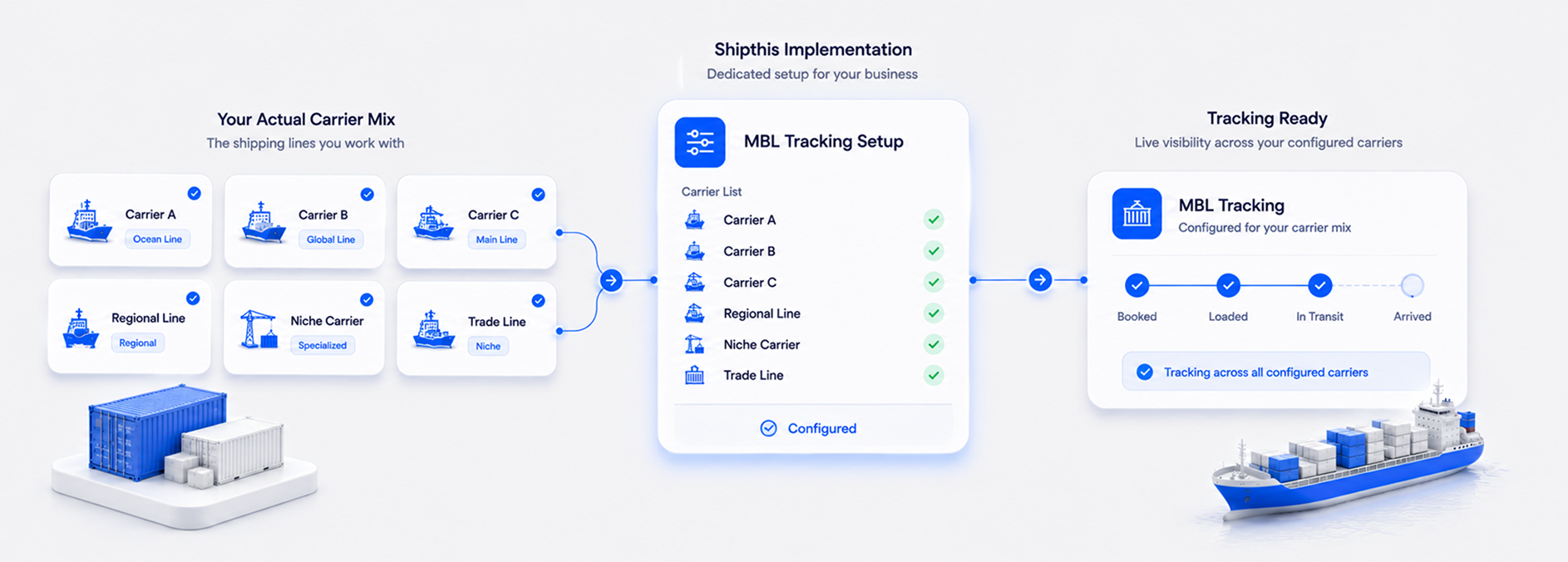
Every forwarder has its own way of moving a shipment from booking to delivery. During implementation, we work with your team to map those workflows into Shipthis — defining shipment lifecycles, key milestones, operational events, and the triggers that should happen at each stage. That means your automated alerts, actions, and workflows reflect how your business actually operates, rather than forcing your team into a generic process. - Most customers are fully operational within 9 weeks.


Pick One Shipment With All the Milestones. We'll Show You What It Could Trigger.
Book a walkthrough with your own milestones and exception types, or start a free trial and configure a trigger yourself.
A demo can walk through your own milestone types and what should happen when each one occurs, not a generic script. Prefer to explore first? A free trial gives your team hands-on access with no commitment.

Book a demo or start your 30-day free trial — and talk to a real freight specialist, not a sales script.

Event, Milestone & Delay Alert Questions, Answered
An internal alert, an automated customer email, a task assigned to a specific person or team, or a combination, configured per milestone.
Port congestion building at a specific location, a carrier trending late on a route, or early signals of a likely customs hold, patterns flagged as they're forming, rather than a single discrete milestone reacted to after the fact.
A milestone trigger reacts to something that already happened, like a customs hold that's been declared. A delay alert is predictive. It recognizes a pattern suggesting a problem is forming before there's one clean event to react to.
Yes. Triggers and delay alerts can both be configured by mode, shipment type, or customer, so automation follows your actual operational rules rather than one fixed default.
No, related, but distinct. Workflow Automation covers configurable workflows more broadly, by mode, shipment type, or Incoterm. This page is specifically about milestone-triggered alerts, emails, and tasks, plus proactive delay detection, within visibility and exception handling.
A dashboard shows what happened and depends on someone noticing. This triggers the actual next action automatically, and separately flags emerging delays before they're even a discrete event to notice.
Yes. Implementation works through your specific milestones, exception types, and typical delay patterns to configure triggers that are useful from day one, avoiding both alert fatigue and missed events.