

Bank Statements In, Reconciled Automatically, However They Arrive
Upload a statement in whatever format your bank provides, or sync live where that’s available, and the same engine matches it against your ledger by amount, date and direction, with reference numbers breaking a tie. Every manual bank movement records as a real accounting document, so a transfer, a fee, or a deposit is never just a number typed into a register.
No credit card required. Fully operational within 9 weeks.
Implementation team included. Trusted by 100+ freight forwarders across 35+ countries.
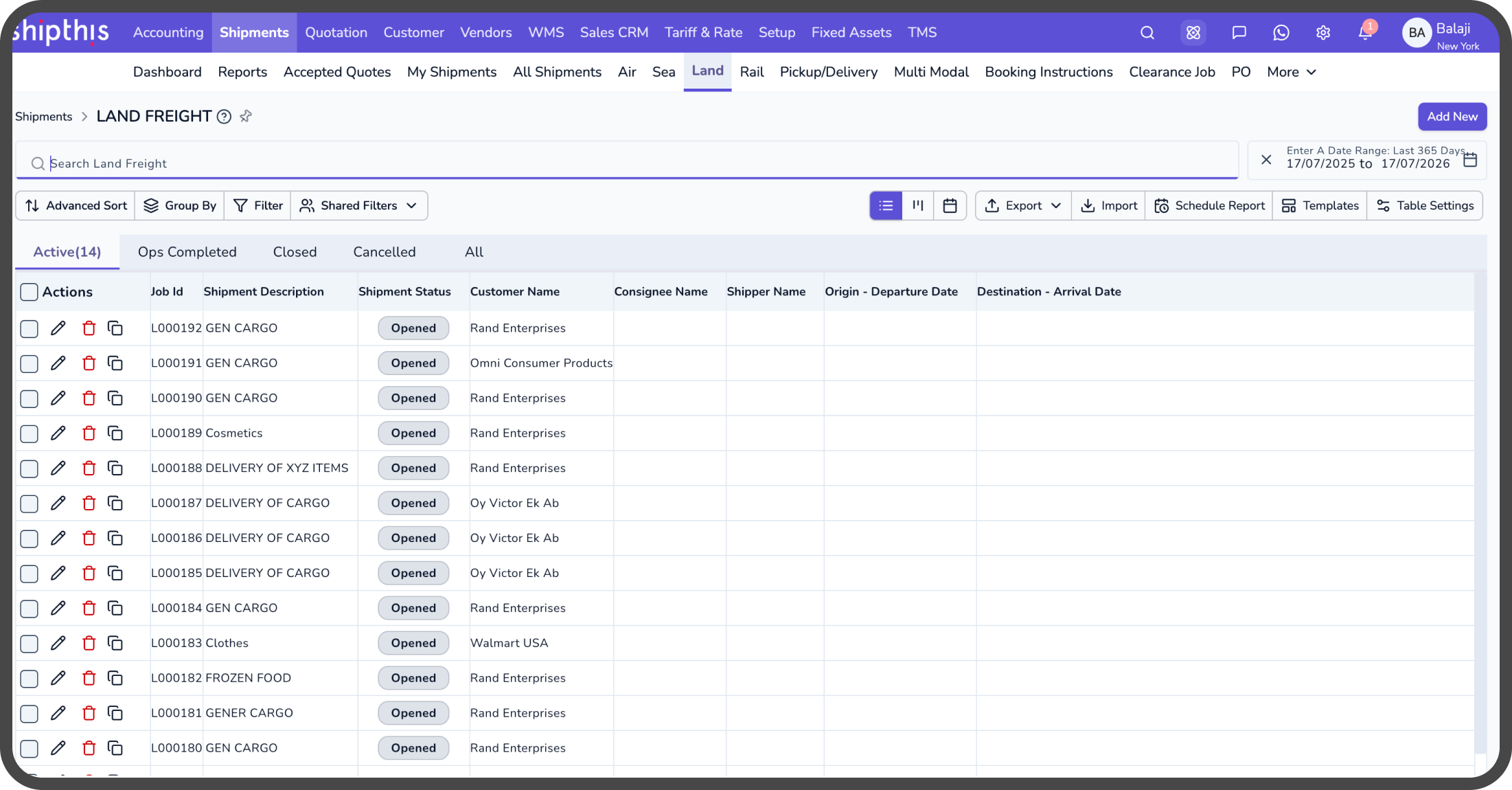

Ticking off statement lines by hand is slow, and whatever gets missed usually isn’t found until someone’s trying to close the period.
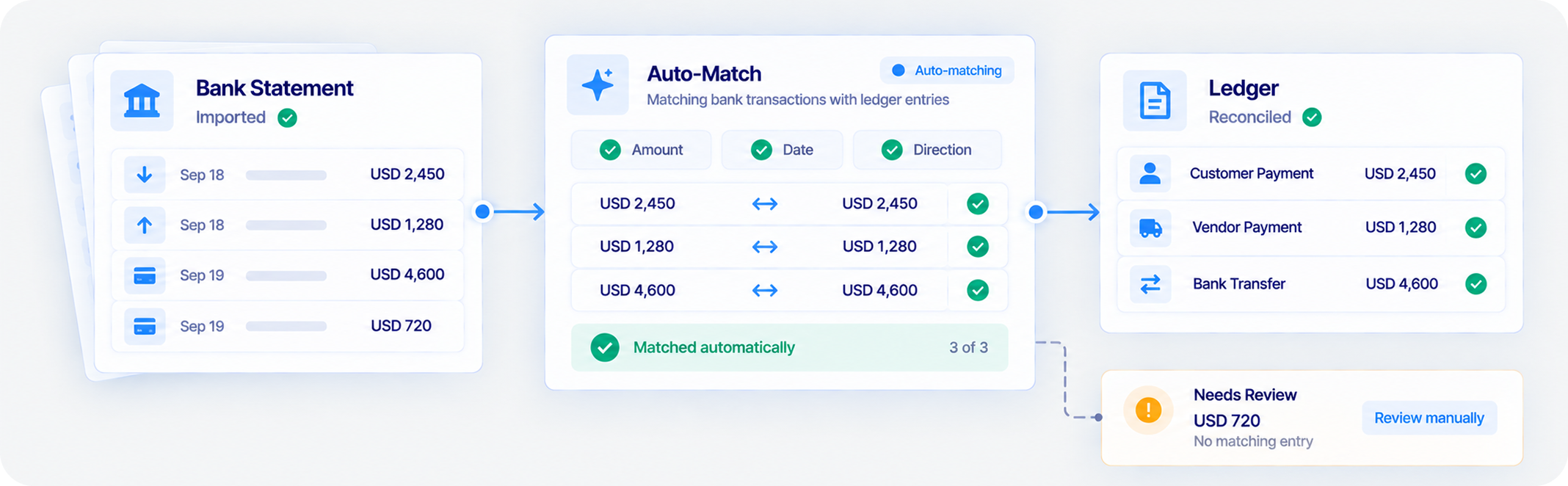
Reconciling a bank statement by hand means opening it, finding the matching ledger entry for each line, and repeating that for every transaction, with anything overlooked surfacing only when the period won’t balance at close. Shipthis matches statement lines against ledger entries automatically, on amount, date and direction, so the manual work shrinks to the handful of entries the engine genuinely can’t resolve on its own.


Set Up the Bank Account. The Ledger Account Comes With It.
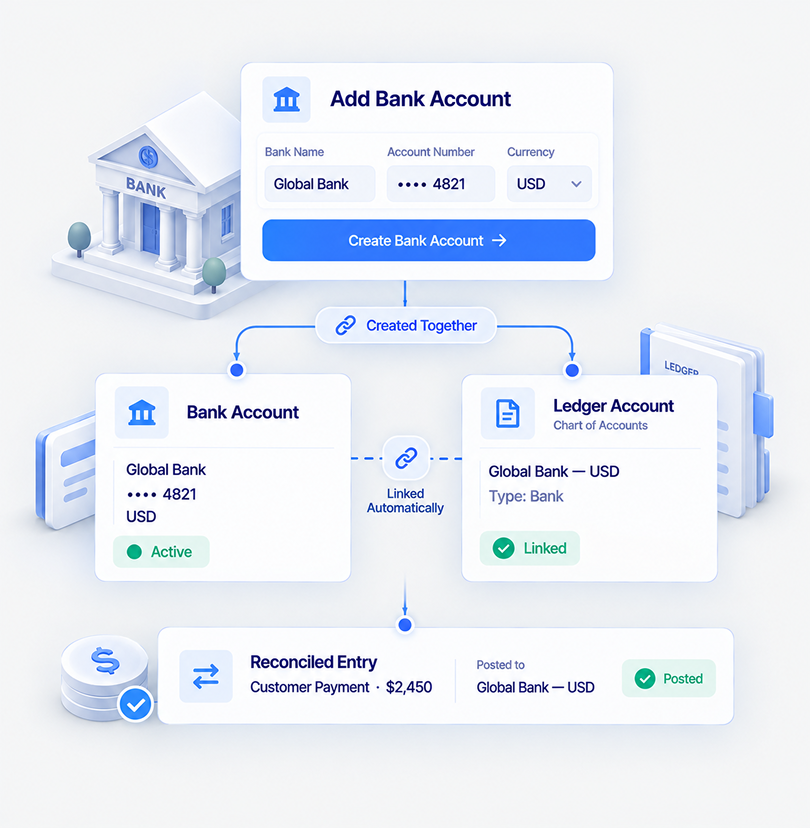
Adding a bank creates both the bank record itself and its corresponding account in your chart of accounts, linked from the start.
Adding a bank account creates two things at once: the bank record itself (bank name, account number, routing number, and the currency it operates in) and a matching account in your chart of accounts, marked specifically as a bank account. That second part isn’t a formality. It’s what makes the account a real destination for postings rather than a label sitting outside the ledger.
From that point on, every reconciled entry posts directly to that ledger account. There’s no export, no separate banking database to keep in sync, and no reconciliation step whose only job is making two records agree with each other, because there was only ever one record to begin with.
The Opening Balance, Set the Way That Actually Works
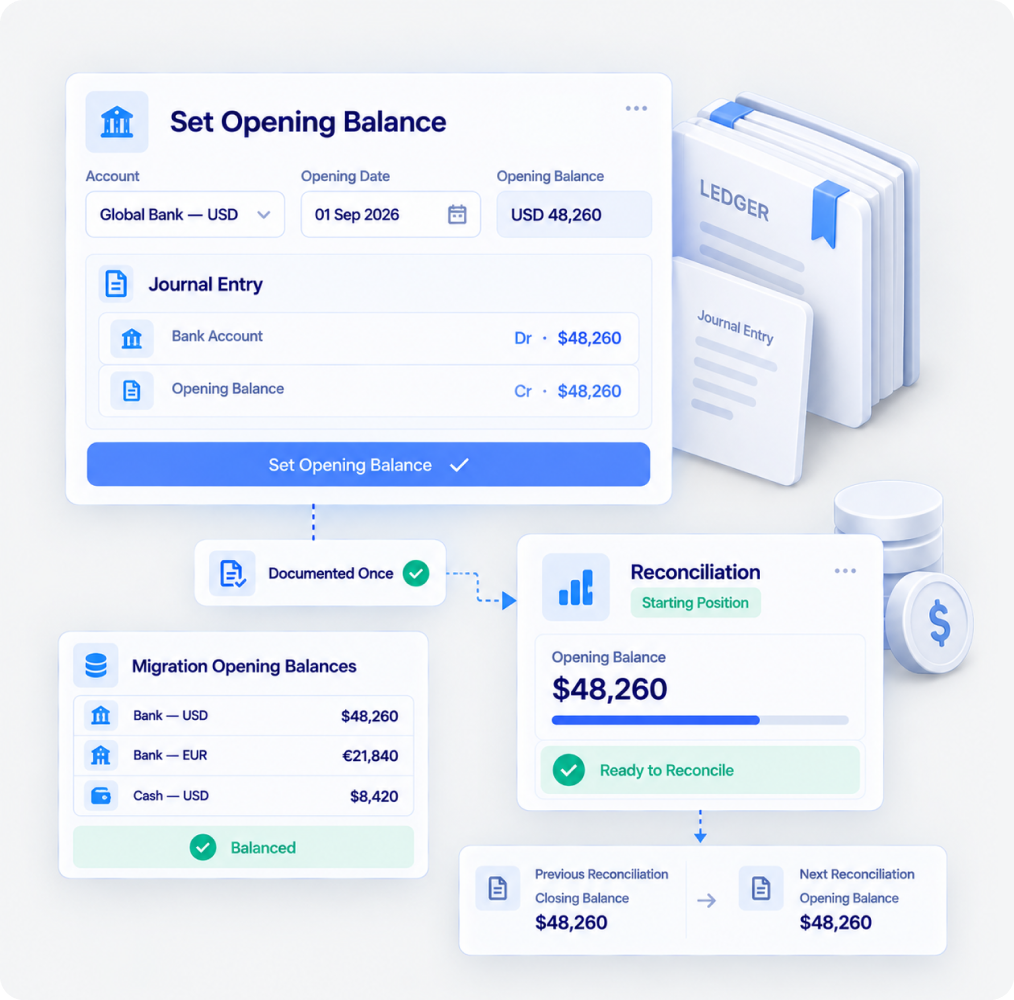
Start every reconciliation with a clean, accurate opening position, without manual workarounds.
Shipthis derives your opening balance from the previous reconciliation, keeping the number accurate and locked. For a new account, set the starting position once through a journal entry, and Shipthis carries it forward automatically.
No typing balances into reconciliations. No duplicate adjustments. Just a clean starting point that stays tied to your books.
For migrations, set opening balances across multiple accounts in one place and keep everything balanced from day one.
Whatever Format Your Bank Exports, This Reads It
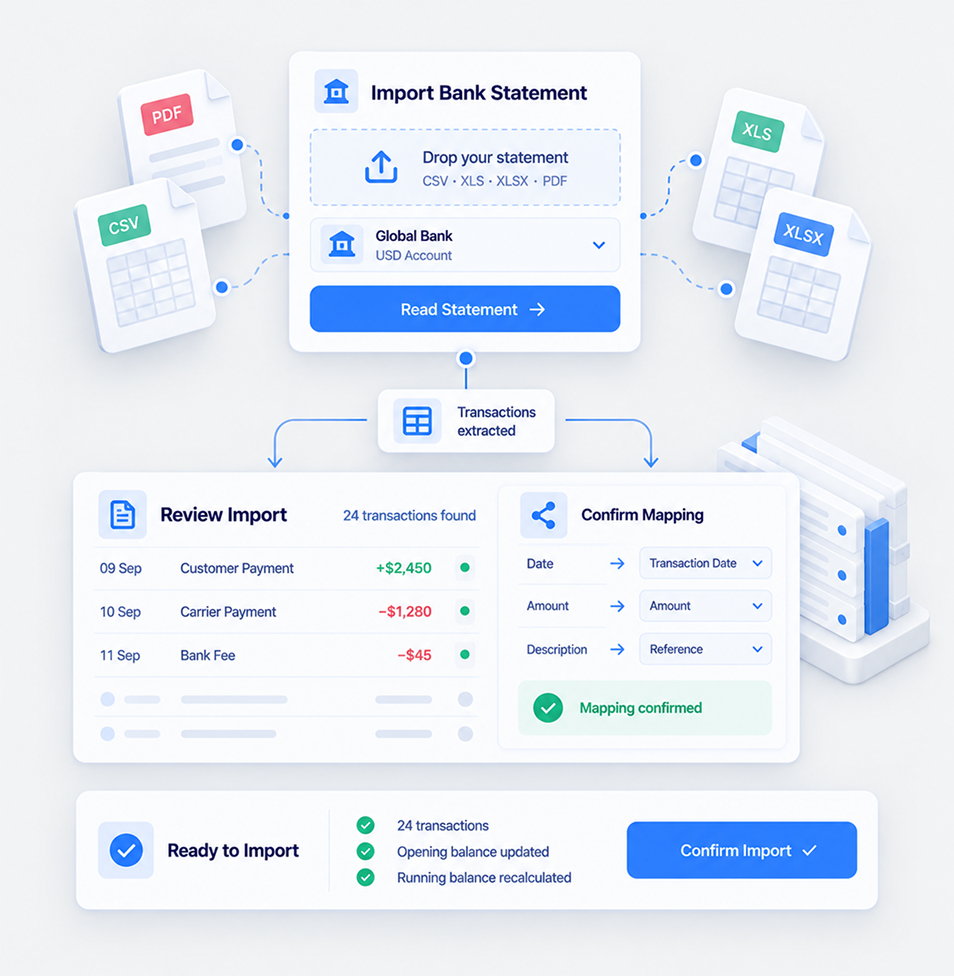
CSV, XLS, XLSX or PDF. The importer extracts the transactions, and you confirm the mapping before anything is created.
Bring in your bank statements without reshaping files or manually mapping columns. Shipthis reads the transactions, identifies dates, amounts and payment direction, and lets you confirm the format before importing.
Once approved, transactions land directly in the account, ready for reconciliation, with running balances recalculated across the statement. Nothing gets added until you’ve reviewed and confirmed the import, so you stay in control of what enters your books.
Live Sync, Wherever Your Bank Does Business
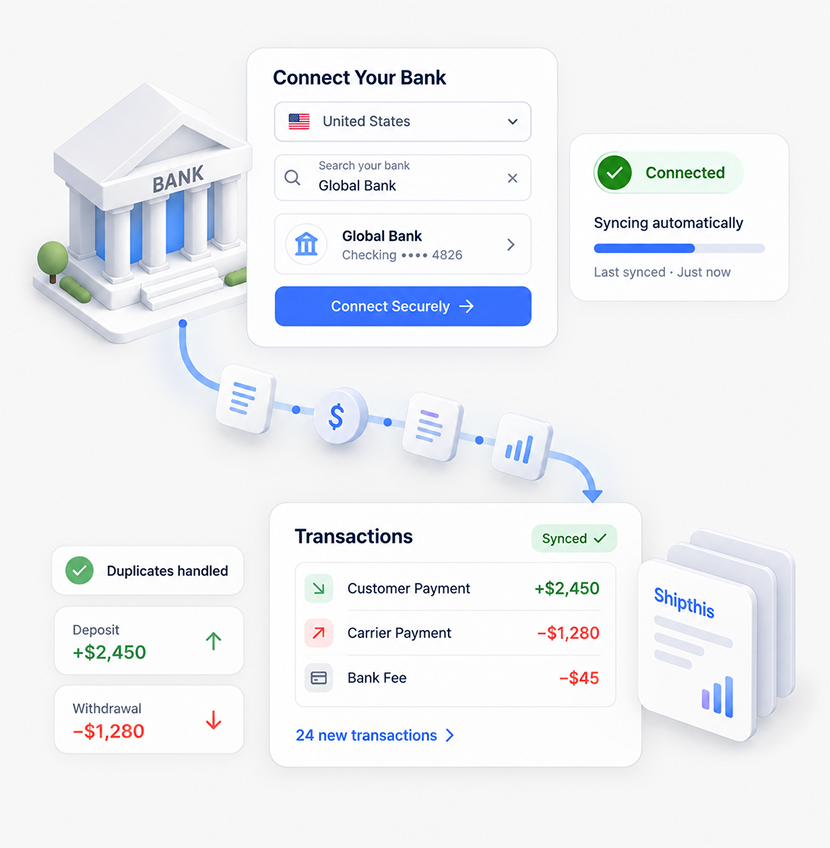
Connect your bank and keep transactions flowing automatically, with broad coverage across 20 countries and support for more than 95% of banks.
: Connect your bank once and let Shipthis keep your transactions up to date automatically. Choose your country, find your bank, securely authorise the connection, and you’re ready to sync.
New transactions flow into Shipthis automatically, duplicates are handled for you, and deposits and withdrawals are recognised in the right direction, keeping your books current without repeated file uploads or manual data entry. Your bank stays connected. Your transactions stay current. Your reconciliation stays ready.
Matched on Amount, Date, Direction, and a Reference When It’s Close
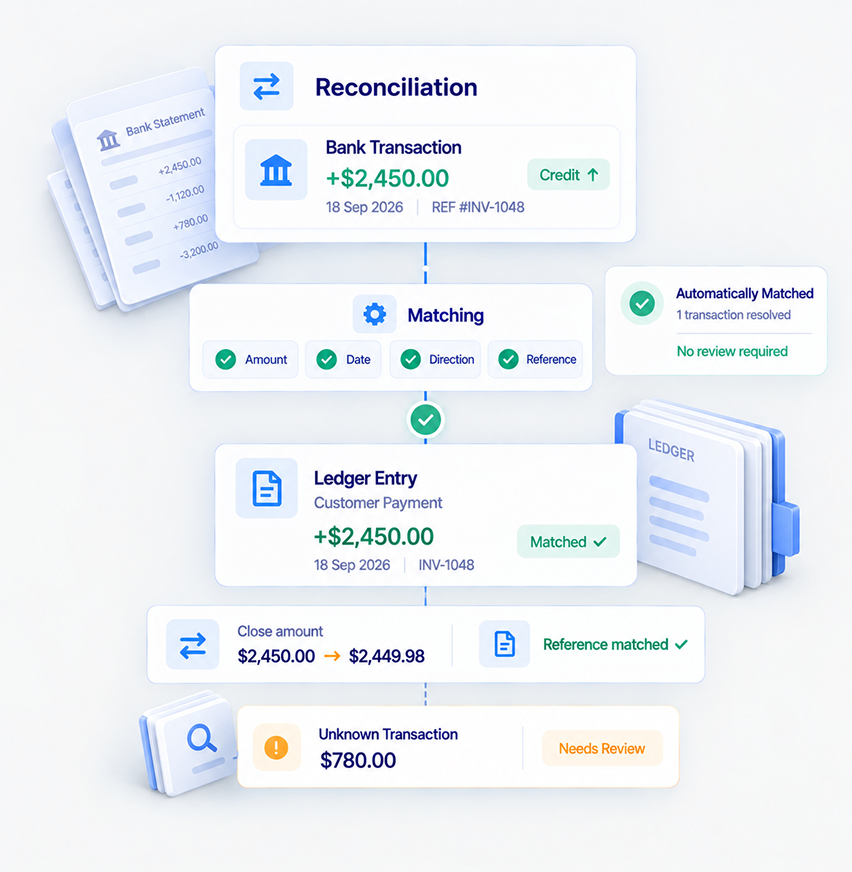
A configurable date window and close-amount tolerance resolve the obvious matches; reference numbers help pinpoint the right one when there’s more than one candidate.
Shipthis takes the work out of reconciliation by matching statement transactions against your ledger using the signals that matter: amount, date, direction and reference. Set the matching window to fit your books, from exact-day matching to a wider date range, and let Shipthis work through the transactions automatically.
The result is simple: routine matches are handled automatically, while only the transactions that need your judgement come back to you. And when there’s no automatic match, you can quickly match, add or resolve entries yourself, without breaking the flow of reconciliation.
Once It’s Reconciled, It Stays Reconciled
Once a reconciliation is complete, the financial details are locked, keeping your books stable, consistent and accountable.
When a reconciliation is done, Shipthis locks the financial details behind it, including amounts, dates, bank charges, taxes and matched payments, refunds and journal entries. Nothing gets quietly changed after the fact.
Need to make a correction? Simply reopen the reconciliation, make the change and reconcile it again. Your books stay controlled, your reconciliation history stays clear, and every opening balance continues from the closing balance before it.

The Same Reconciliation, Whichever Path Gets You There
Audience, campaign, engagement and replies stay connected to the same customer, lead and commercial data your team already works with.
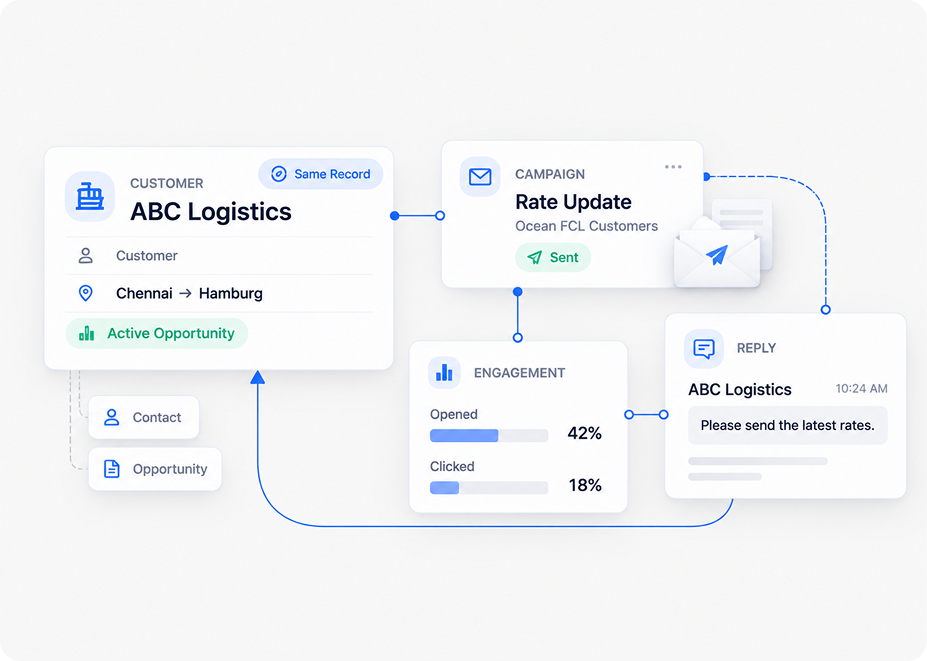
Shipthis brings campaign execution into the same system where your business relationships already live. Build audiences from real contacts, send targeted campaigns, route replies back to your team, and measure what happened. A rate update reaches the right customers, a trade-lane offer targets the right prospects, and every reply comes back to the team that owns the relationship.
Campaigns Come Ready to Use, No Setup Project Required
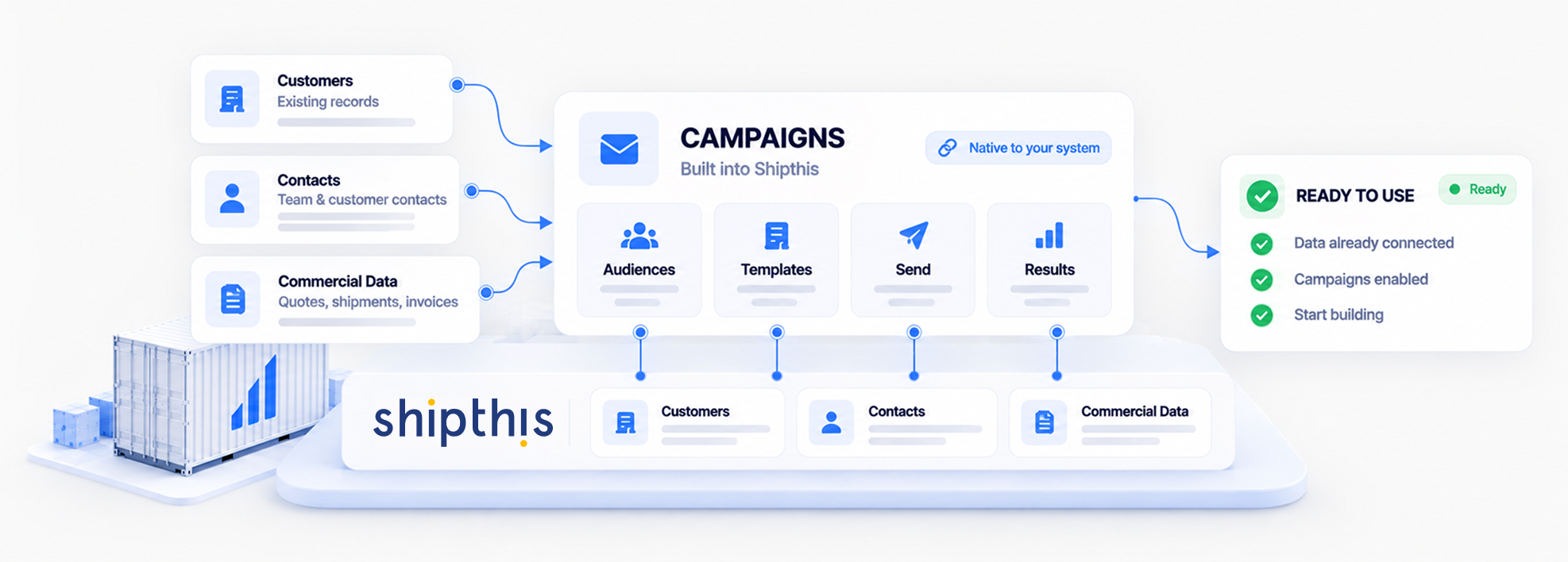
Campaigns works out of the box with the data already in Shipthis. Your contacts are already there, Mailing Lists can be built around the audiences you want to reach, and campaign performance is available as soon as you start sending. Connect a shared inbox if you want replies routed back into Shipthis, then create your first list and start building. No separate marketing database, no new system to learn, no implementation project standing between you and your first send.


Bring Your Actual Contact List. We'll Show You the Campaign It's Already Ready For.
The fastest way to evaluate this is against the customers and leads already in your system.
Book a demo scoped to how your team wants to run outreach, or start a free 30-day trial to see the Address Book and campaign workflow yourself.

Book a demo or start your 30-day free trial — and talk to a real freight specialist, not a sales script.


Campaign & Communication
Questions, Answered.
Campaigns is enabled per organisation. Where it's switched on, it appears either as its own Campaign (Beta) section or as a menu inside Sales CRM, depending on how your organisation surfaces it.
The Address Book is generated from your Customers, Vendors, and Sales CRM Leads. Contacts can't be added directly to the address book, correct or add them on the source record instead.
Unsubscribed contacts can't receive campaigns. An immediate send is blocked outright if one is included, and a scheduled send drops them automatically when it runs.
Estimated recipients are capped at 2,000 per organisation per month, and every send also draws on your organisation's daily email quota.
No, sent campaigns are locked. Duplicate the campaign to run a follow-up instead.
Only if a shared inbox is connected as the reply address, see Conversations & Email for that setup.